UX/UI design · MobileCase 04 / 05

Sleep Pal — Case Study

Turning sleep patterns into an approachable mobile experience with clear next steps.

Sleep Pal — Case Study cover

01 · Overview

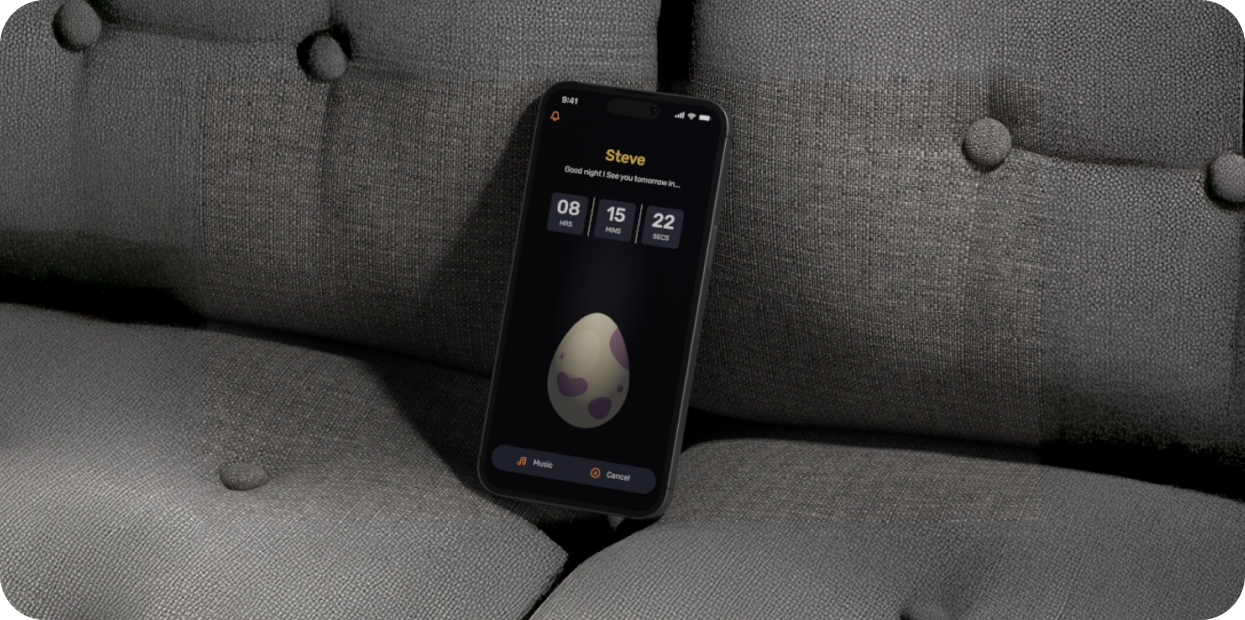
SleePal is an application designed to promote positive sleep habits among young students through a virtual companion. The virtual pet grows and evolves as both the user and the pet practice good sleep habits.

02 · The goal

Create the behavior of not using their phone/tablet/computer 30 min before bedtime, especially in a way that exposes them to blue light.

03 · Process

Step 01

Research

  • User audience
  • User interview
  • Job & user stories
  • Competitive analysis
  • Functional analysis
  • Moodboard

Step 02

Prototyping

  • Functional prototype
  • User flow
  • Wireframes

Step 03

UI Design

  • Visual concept
  • Design system
  • Components library
  • Animation
  • Interactive prototype

Step 04

Testing

  • User testing
  • Final corrections

04 · Target audience

To understand user behavior, I conducted interviews and synthesized the insights into a persona.

Joseph, 23

University Student

Joseph, 23
“I want to rest better but every time I use my phone I get distracted.”

What important and interesting information did he provide?

  • Responds well to positive reinforcement and visual rewards.
  • Has a fixed school schedule, so waking up tired impacts performance and mood.
  • Parents are somewhat involved in bedtime routines but often rely on apps to manage screen time.
  • Prefers engaging, friendly interfaces over instructional or strict ones.
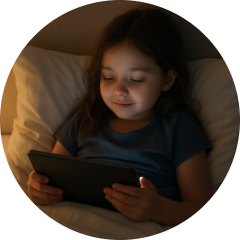
Mary, 11

School Student

Mary, 11
“I like using my tablet at night... it helps me relax before bed.”

What important and interesting information did she provide?

  • Uses her tablet every night, especially before bed, often exceeding 30 minutes.
  • Sees screen time as a way to relax, not realizing it affects her sleep.
  • Doesn't respond well to apps that feel too educational or restrictive.
  • Enjoys games with progression, rewards, and emotional connections (e.g., virtual pets).

05 · User flow map

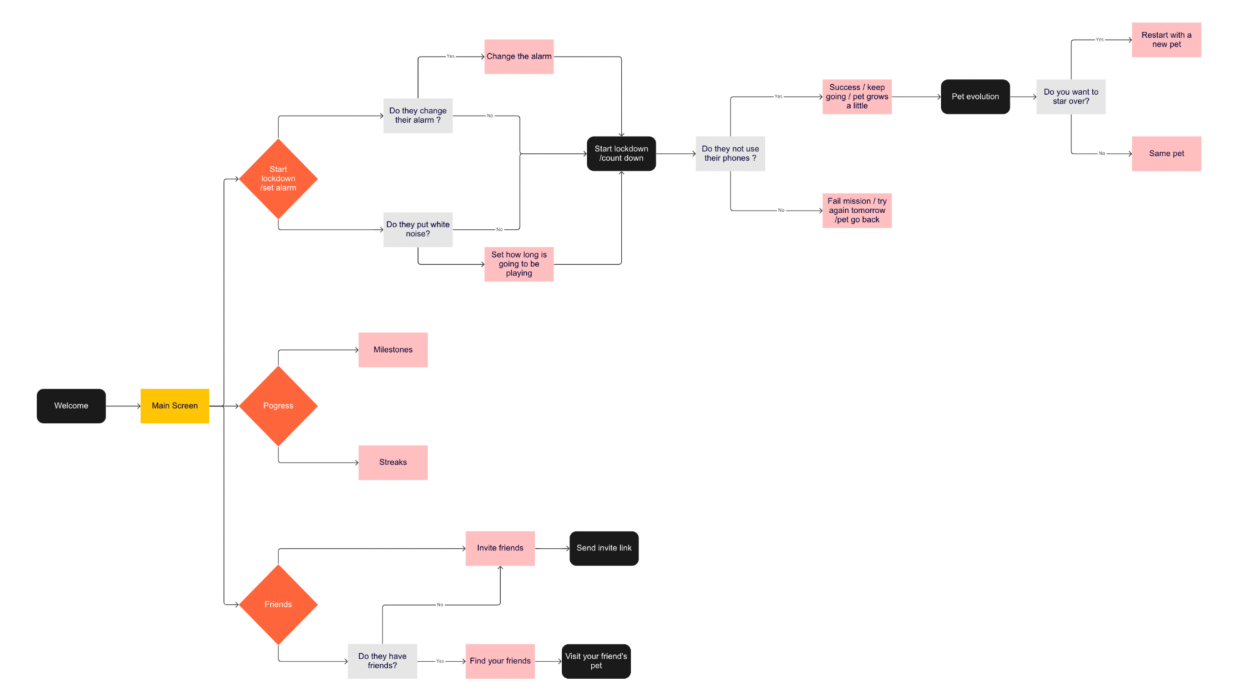
To ensure a smooth and engaging experience, I mapped out the key steps users take from opening the app to completing their nightly routine. This flow highlights how users interact with the virtual companion while reinforcing healthy sleep habits.

User flow map

User flow map

06 · COM-B method

This is a user-centric methodology. It analyzes the user's difficulties in order to alter their behavior.

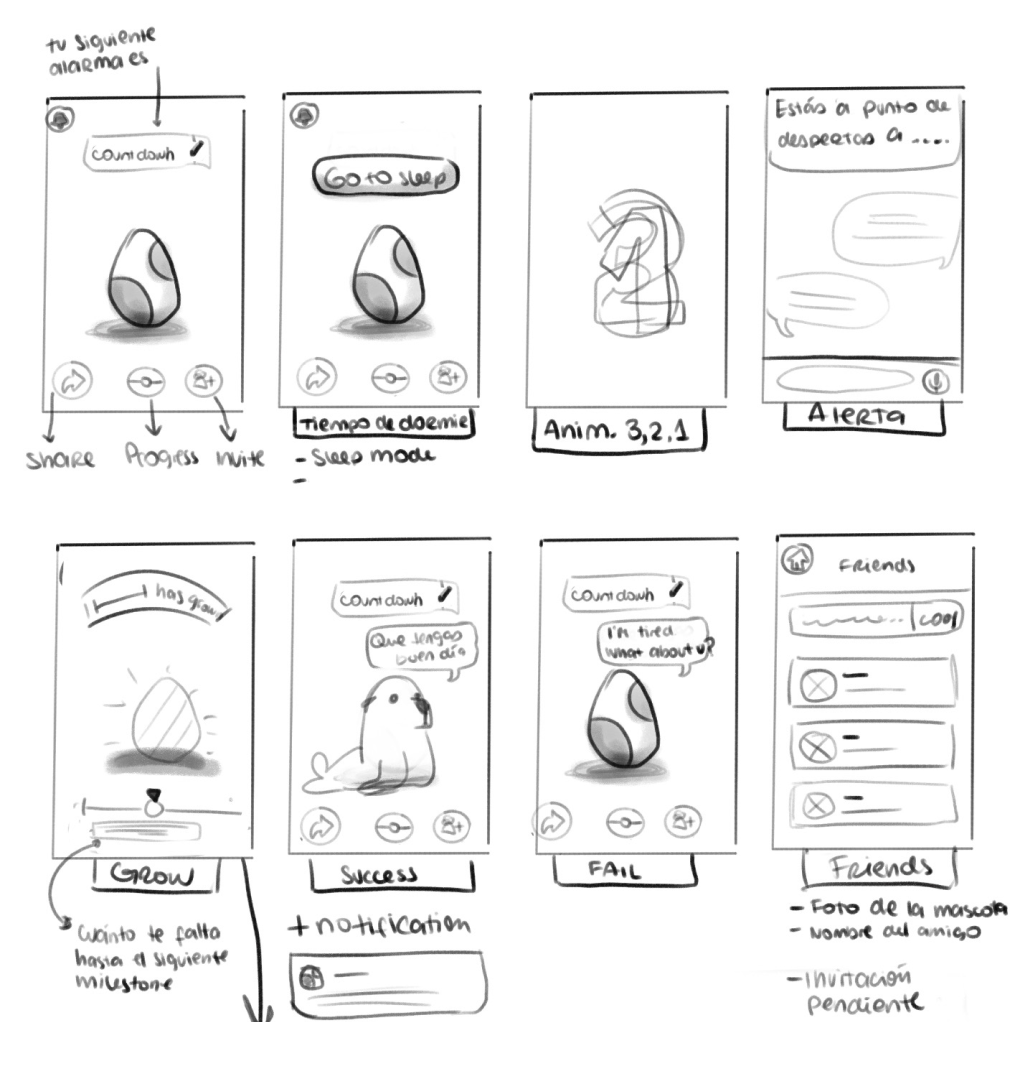
Sketches

Sketches

07 · Barriers

The barrier has to do with automatic and reflective motivation of changing the habit.

In this case, it would be motivated enough to not use an electronic device 30 minutes before bed time.

Intervention function: Persuasion

08 · BCT feedback on behaviour

The app gives a reminder 30 minutes before bedtime, then again when it is actually bedtime.

In the morning it gives positive feedback to the user.

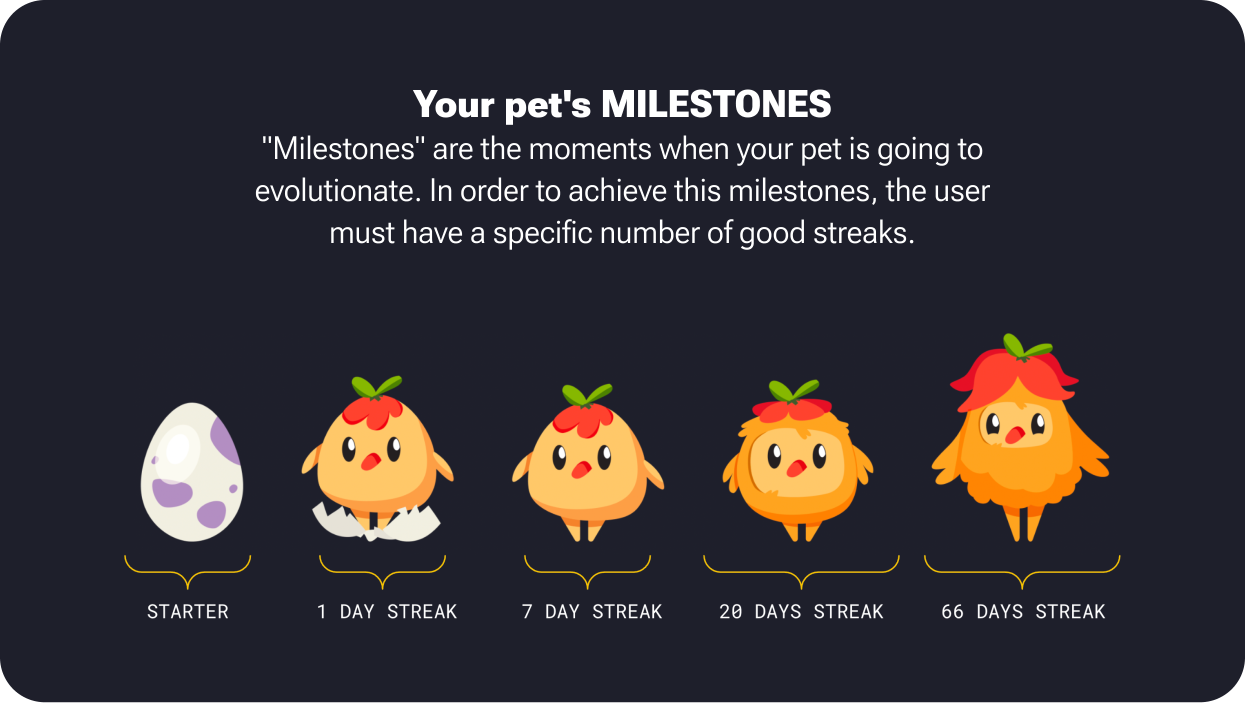
If the user failed, the pet gives supportive feedback. However, the pet goes a step back in its evolution.

Feedback screens

Feedback screens

09 · App design

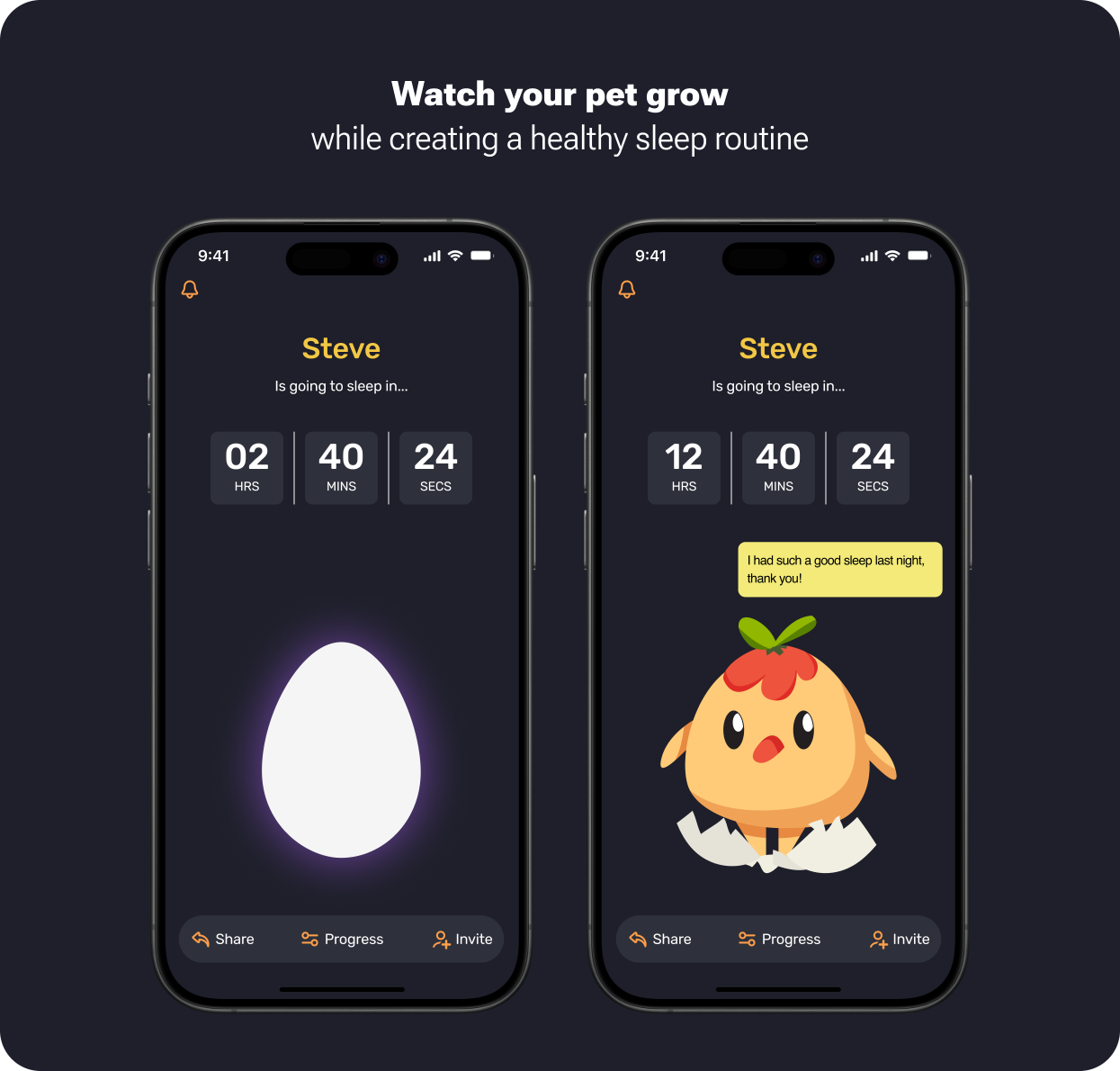
The design focuses on gamification and it's applied to a virtual pet.

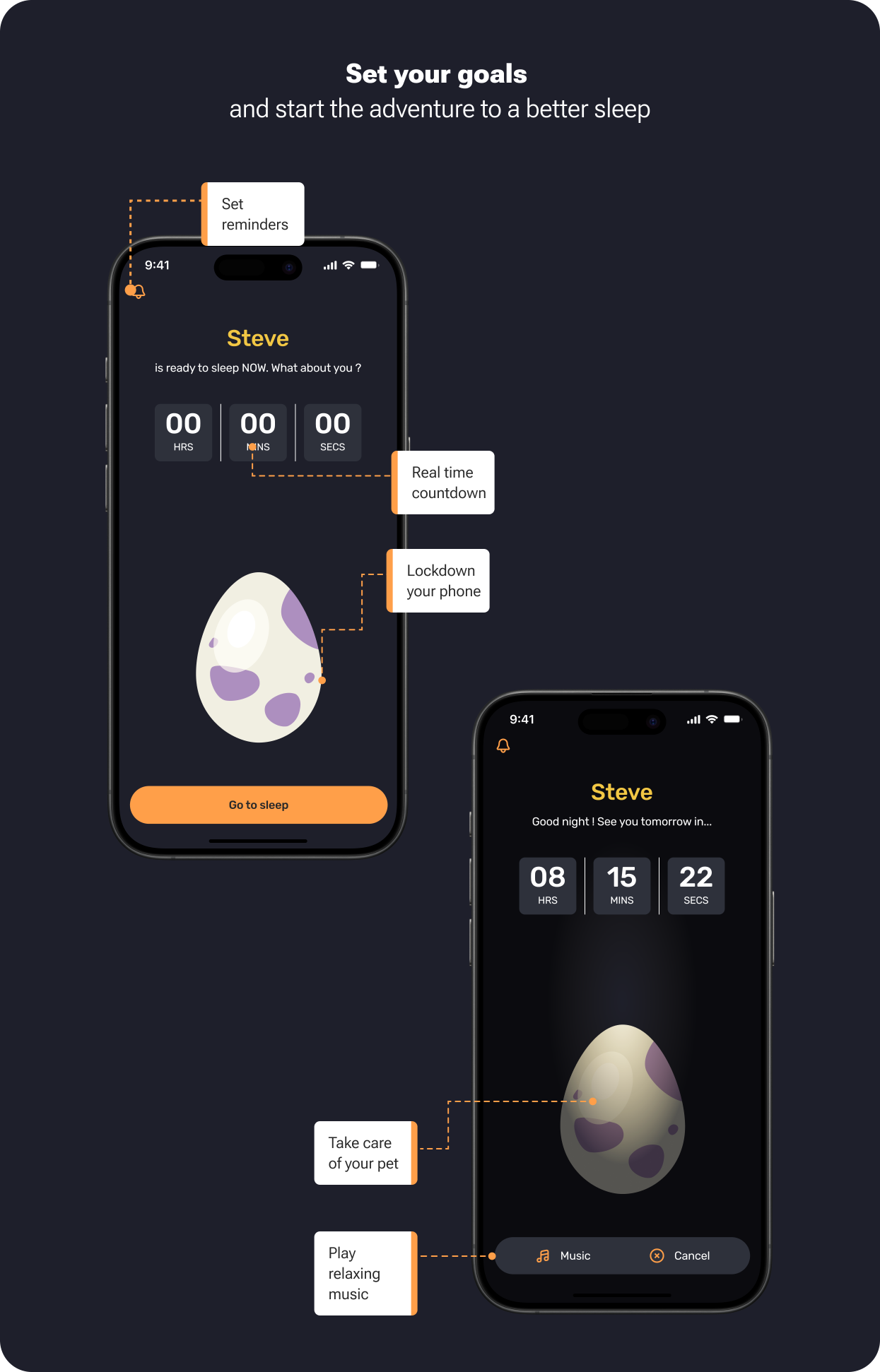
Set your goals

Set your goals

Watch your pet grow

Watch your pet grow

Your pet's milestones

Your pet's milestones

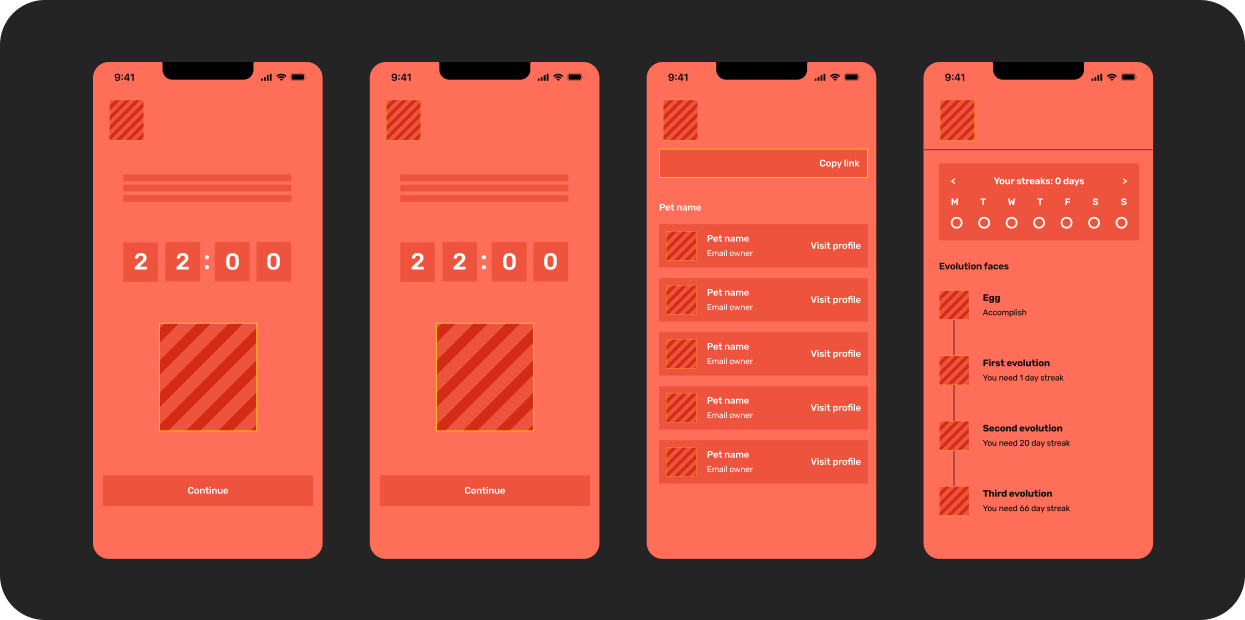
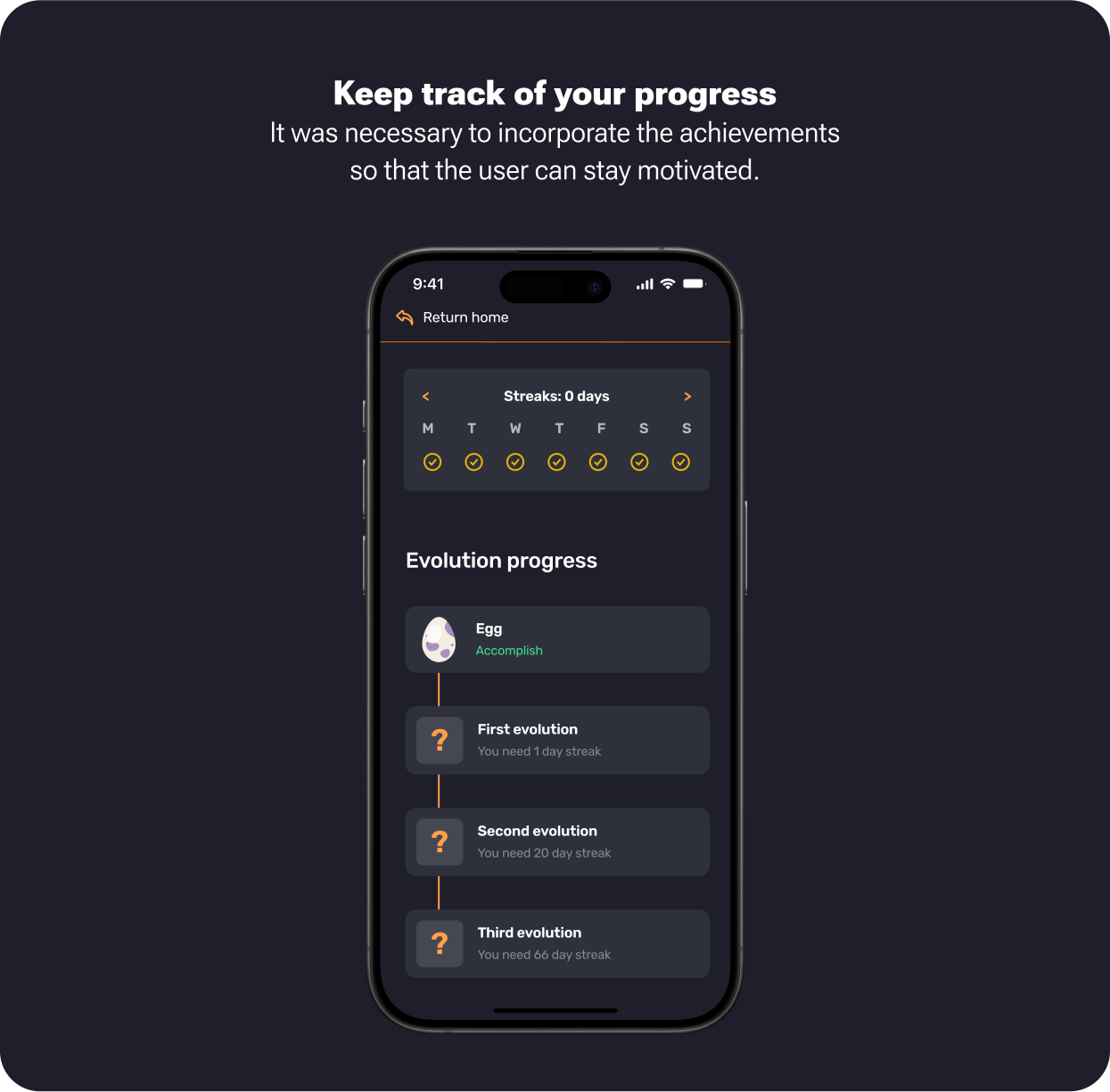
Keep track of your progress

Keep track of your progress

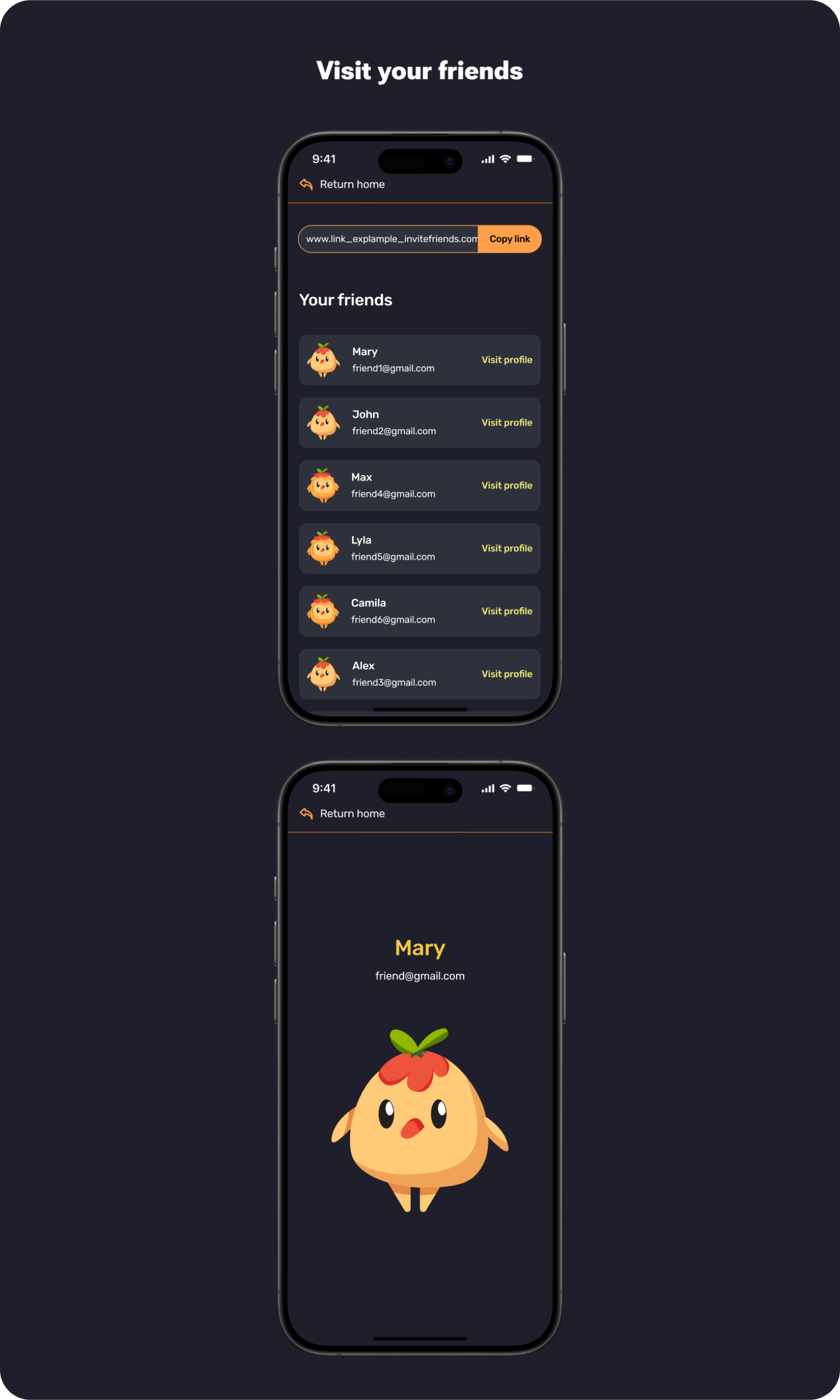
Visit your friends

Visit your friends

10 · Design system

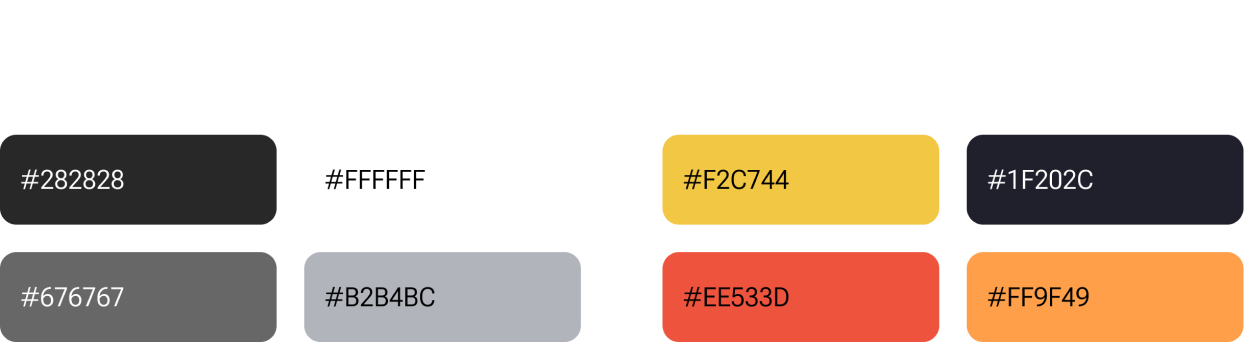
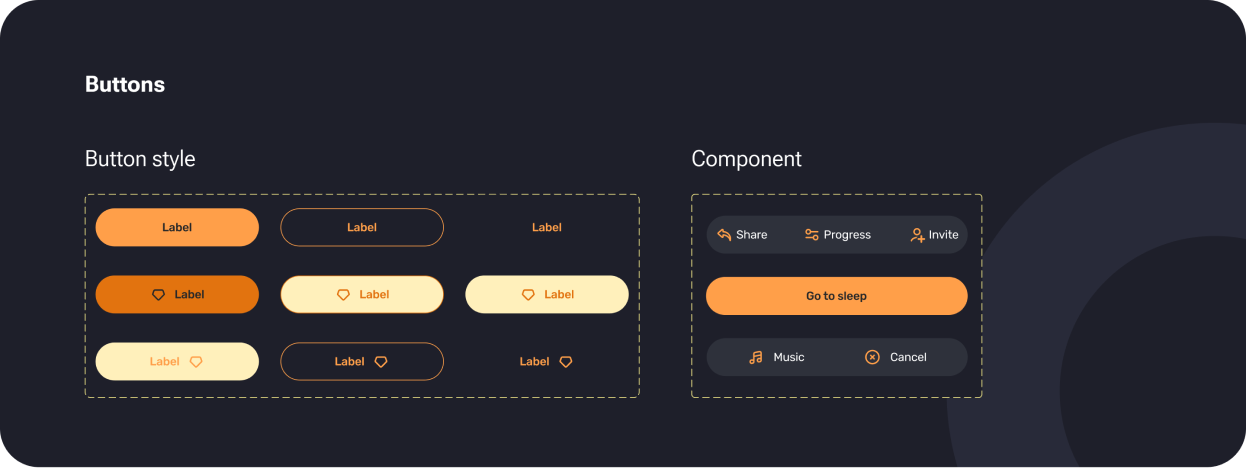
Color and icon libraries were created to maintain consistency throughout the project.

Color palette

Color palette

Buttons

Buttons

Next project

Rimac Insurance Wellness Platform

View case study